Installation
Requirements
innovaphone App Platform and PBX from version 15r1, users with myApps
Runs on arm, arm64 and x86_64 - on innovaphone gateways as well as on virtual appliances
One licence
App(trizwo-callagain)per user, see LicencesFor reminders by chat: a Messages object for the users who are to receive messages while myApps is closed
Installing the app from the App Store
Open the AP Manager of your App Platform and install the trizwo Call Again App from the App Store
with the Install button. An update is installed the same way.
Configuring the instance
Adding an instance
After the installation, add an instance, named callagain for example. One instance serves every
PBX of your system, master and slaves.
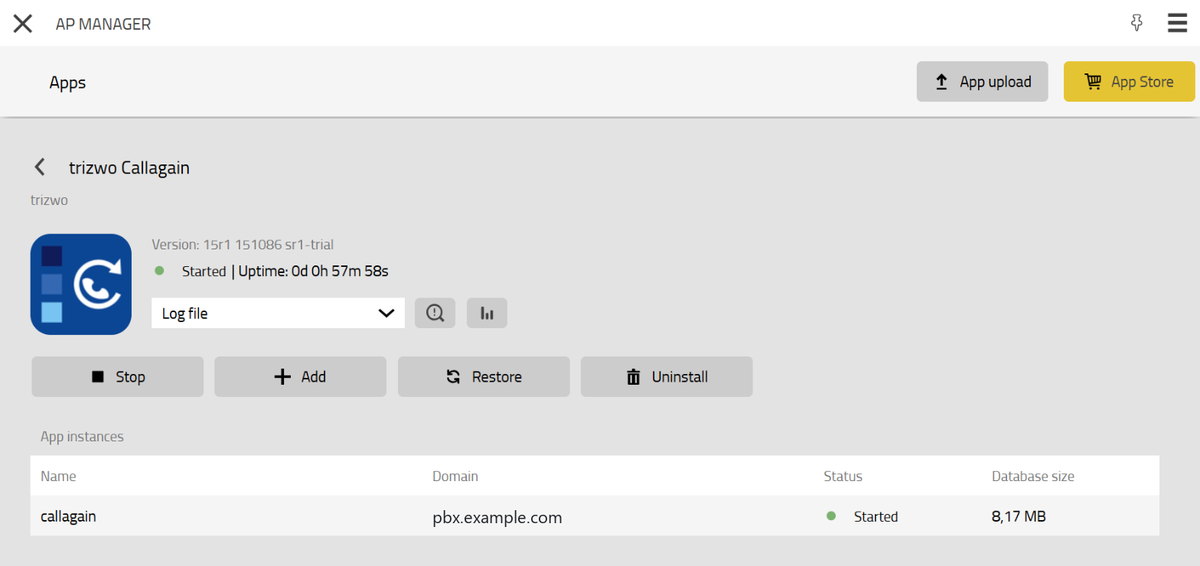
Then start the instance with the Start button. Call Again then shows up as the plugin
callagain in the PBX Manager.
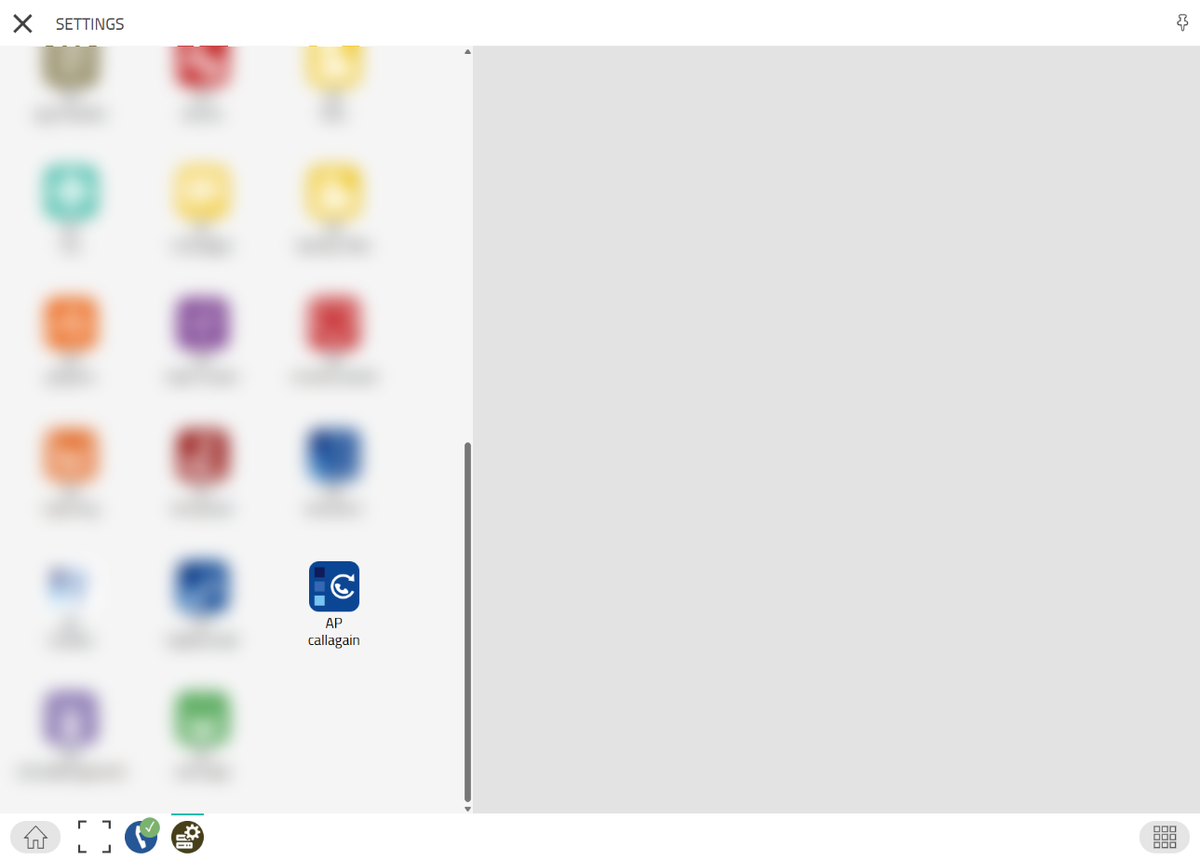
Creating the App Objects
In the plugin, add the App Objects with Add an App. The plugin sets Websocket and every grant
the objects need.
callagainThe app users open, with the badge that counts the due reminders.
callagain AdminThe administrator app with status, user list and configuration. Its connection carries the PbxAdminApi (the
Admincheckmark), through which the service reads the number of installed licences.callagain APIHidden; watches the Phone App’s calls and starts with myApps, so that a due reminder can be shown with nothing else open.
callagain PopupShows the automatic dialogs - after a failed call and for a due reminder - on top of whatever the user is doing, then closes and returns to it. It has an icon of its own on the home screen; nobody needs to open it. Without the popup the dialogs appear inside the main app instead.
callagain ChatOnly needed when reminders are also to arrive as chat messages. It needs the
WebsocketandPbxSignalcheckmarks, which the plugin sets. The chat app shows its SIP name as the sender, in lowercase, not its display name: choose a SIP name that reads well that way, for examplecallagain. Do not assign it to anyone.
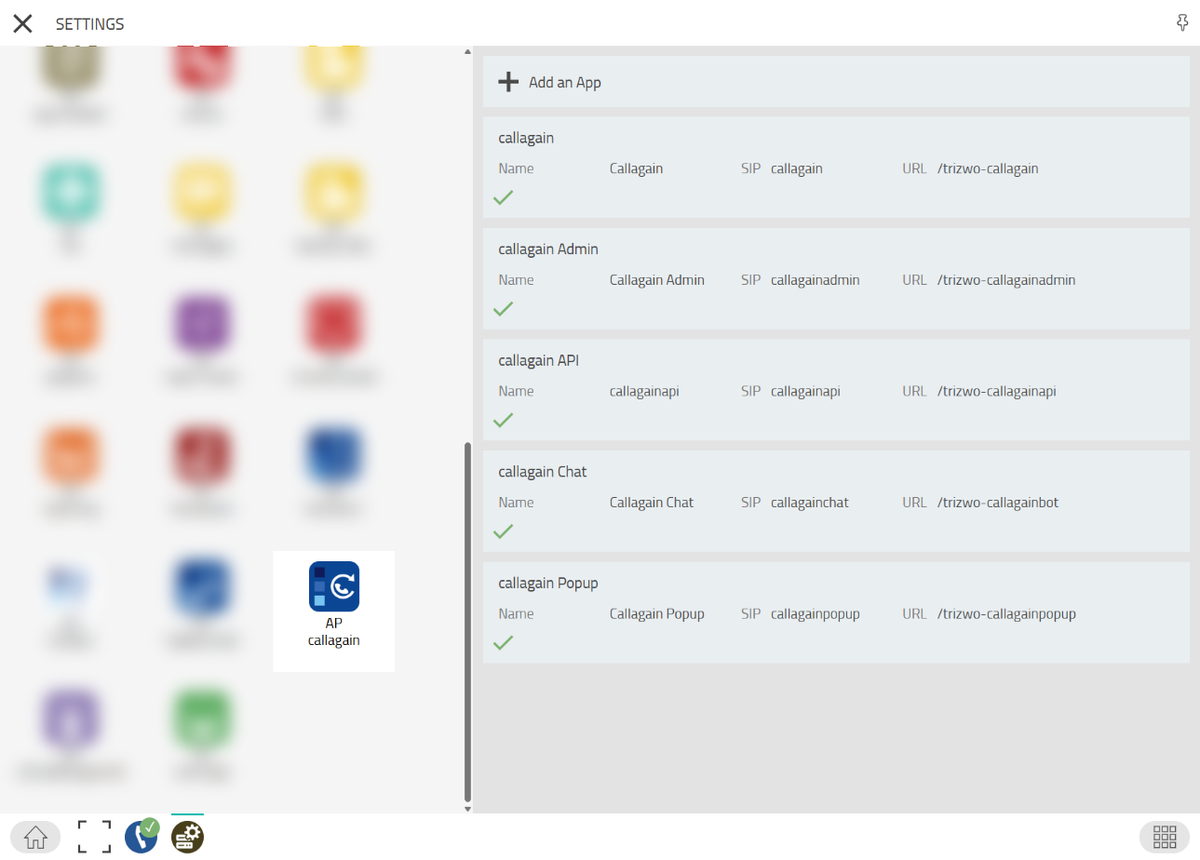
The App Objects replicate from the master to the slaves, and every PBX opens its own connections to the app. Each user is monitored, dialled for and licence-checked on their home PBX.
Assigning the App Objects
Assign callagain, callagain API and callagain Popup to the users who are to use Call
Again, preferably through a configuration template. Only those who manage the app get callagain
Admin. callagain Chat is assigned to nobody.

The users can then add the app to their home screen.
Licences
Call Again uses innovaphone’s per-user App licence, App(trizwo-callagain). Assign it at the user
object or in the template; one licence covers all objects, the others need none of their own. To
try the app, the PBX’s test mode or innovaphone’s dummy licences are enough. The app needs no
internet connection for the check.

The PBX decides who is licensed. A user without the licence sees a notice instead of the app and the
dialogs, and their calls are not monitored. The service never monitors more users than there are
licences installed. When a user’s licence is taken away, their monitor is handed back at once;
their data is kept for Forget unlicensed users after (see Configuration), 30 days by
default.
Checking the installation
Open callagain Admin. Under Status, the call monitor must read OK and every PBX must
appear exactly once; the main App Object is callagain. The status also shows the installed,
assigned and monitored licences. Monitored users shows who is monitored - a user as soon as they
have started myApps with Call Again.
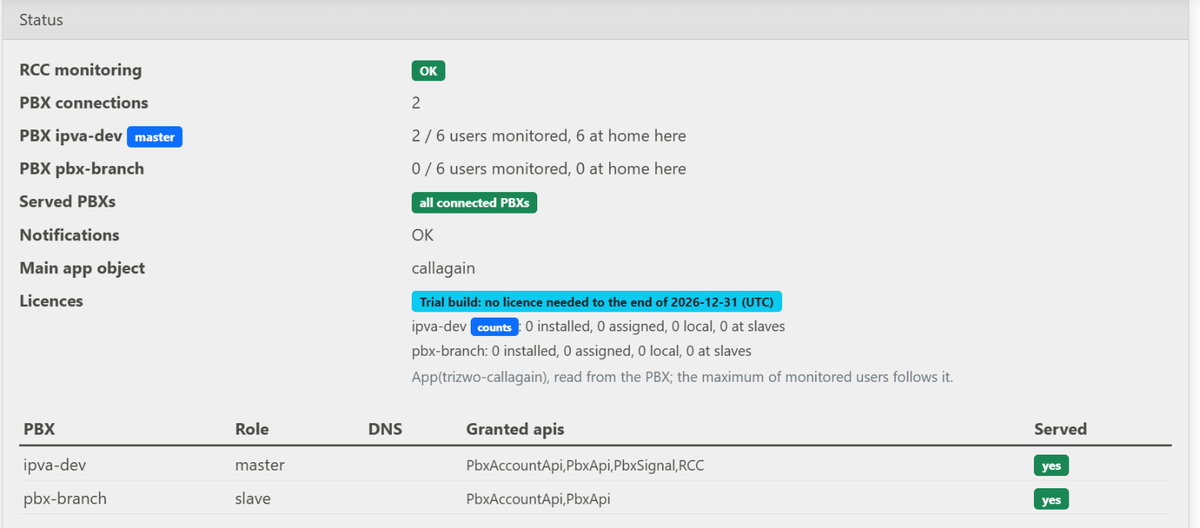
If the status shows a warning, see Troubleshooting.