Troubleshooting
Start with the Status tab in callagain Admin. It shows every connected PBX with its role and
the APIs it grants, the RCC monitoring, the main app object and the licences, and below them a
warning for anything that is missing.
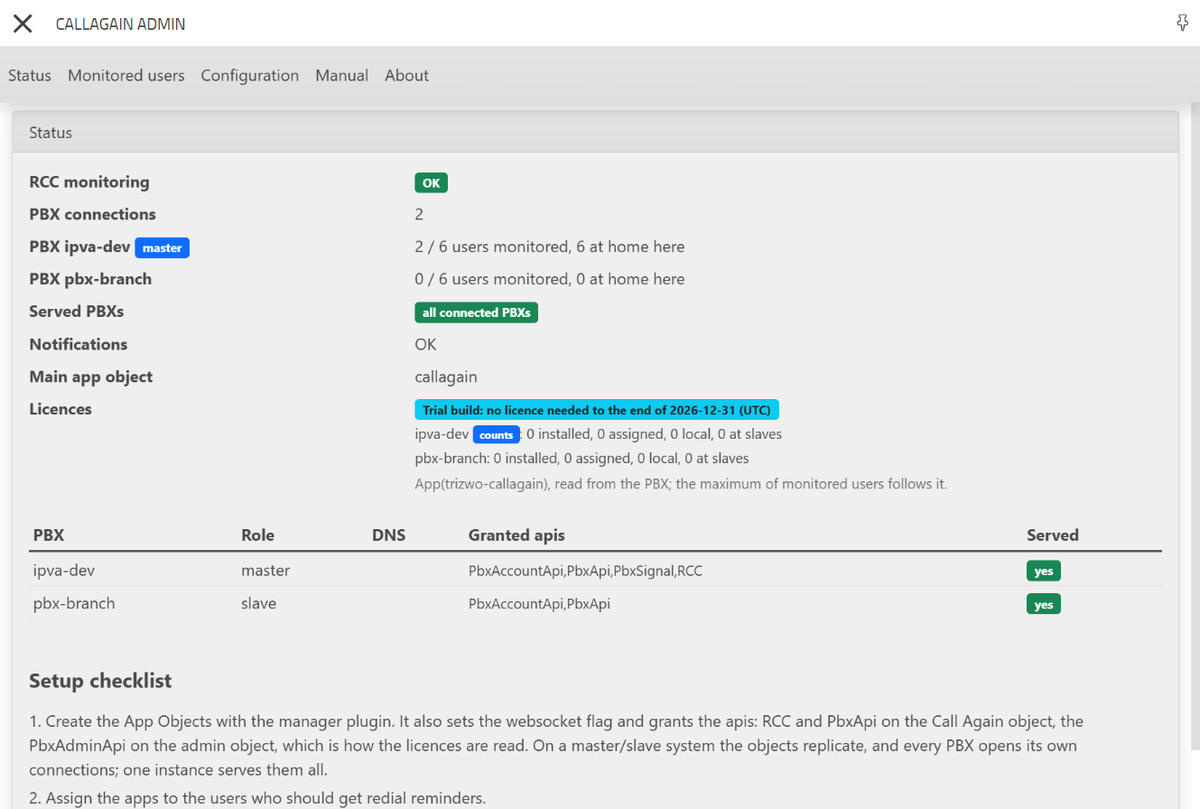
The warnings in the status
- No PBX has connected
The App Object
callagainhas no connection to the instance. Save it again in the plugin, which setsWebsocket.- RCC did not initialize
The PBX connected, but failed calls are not detected. Save the App Object again in the plugin, which grants the RCC api.
- The main app object is not known yet
Open the Call Again app once.
- Users at home on a PBX without an RCC connection
These users are not monitored and no call can be placed for them. The Call Again App Object on that PBX needs
Websocketand the RCC api; the list of PBX connections in the status shows which PBX lacks them.- PbxName restricts this instance to one PBX
Other PBXs are connected, but their users are not monitored. Set
Serve only this PBXto(all PBXs)and restart the instance.- The admin App Object has not connected / does not grant the PbxAdminApi
The installed licences cannot be read; only users whose own login the PBX reported as licensed are monitored, and
Maximum monitored usersapplies as typed. Savecallagain Adminagain in the plugin.- A PBX with an RCC connection has no admin App Object connection
Its users‘ licences are checked on the master, which may not answer for them; they then stay unmonitored. Save the admin App Object again in the plugin.
- Every installed licence is in use
Further licensed users stay unmonitored until a licence is freed or more are installed.
- More users have Call Again than licences are installed
The PBX reports the surplus as unlicensed; those users see a notice instead of the app.
- The PBX did not answer the licence query / The database schema could not be created
Check the instance’s app log in the AP Manager.
- A PBX appears twice in the status
A second App Object points at the main app’s URL, usually
callagain API; the fieldMain app objectthen does not readcallagain. Delete that object and create it again in the plugin.
Other cases
- The dialogs appear inside the app instead of in front
The user has not been given
callagain Popup. Assign it through the same template ascallagain.- A user sees a notice instead of the app
They have no
App(trizwo-callagain)licence assigned, or every licence is taken (see above).- A redial says the user is not monitored
How a redial is placedis set toRCC onlyand the user is not monitored. Check their row underMonitored usersand the warnings in the status.- Reminders arrive as a dialog instead of a chat message
callagain Chatis missing or not connected; then every reminder appears as the dialog. While myApps is closed, a user receives chat messages only with a Messages object.- The link in a chat reminder leads nowhere
The master PBX’s DNS name is not the one myApps logs in at. Enter the right one under
myApps host for links.- Outgoing and incoming calls are detected the wrong way round
Turn on
Invert call direction.- Genuine no-answer calls are not noticed
Check
Minimum call progress(default 1) andIgnored release causes.
Support
If you are stuck, write to support@trizwo.de, in English or German, with the build number from
About and an excerpt of the app log.